

Version history
Plane keeps a history of every page as people edit it, so you can see what changed, who changed it, and when, and roll back if you need to. Version history works in project pages, wiki pages, and teamspace pages.
How versions are saved
You don't save versions yourself. Plane records one version per person per editing session:
- While you keep editing, your changes are added to your current version.
- If you stop for more than 10 minutes and then edit again, Plane starts a new version.
- When two people edit at the same time, each gets their own versions.
Adding, resolving, or deleting a comment doesn't create a version.
Open version history
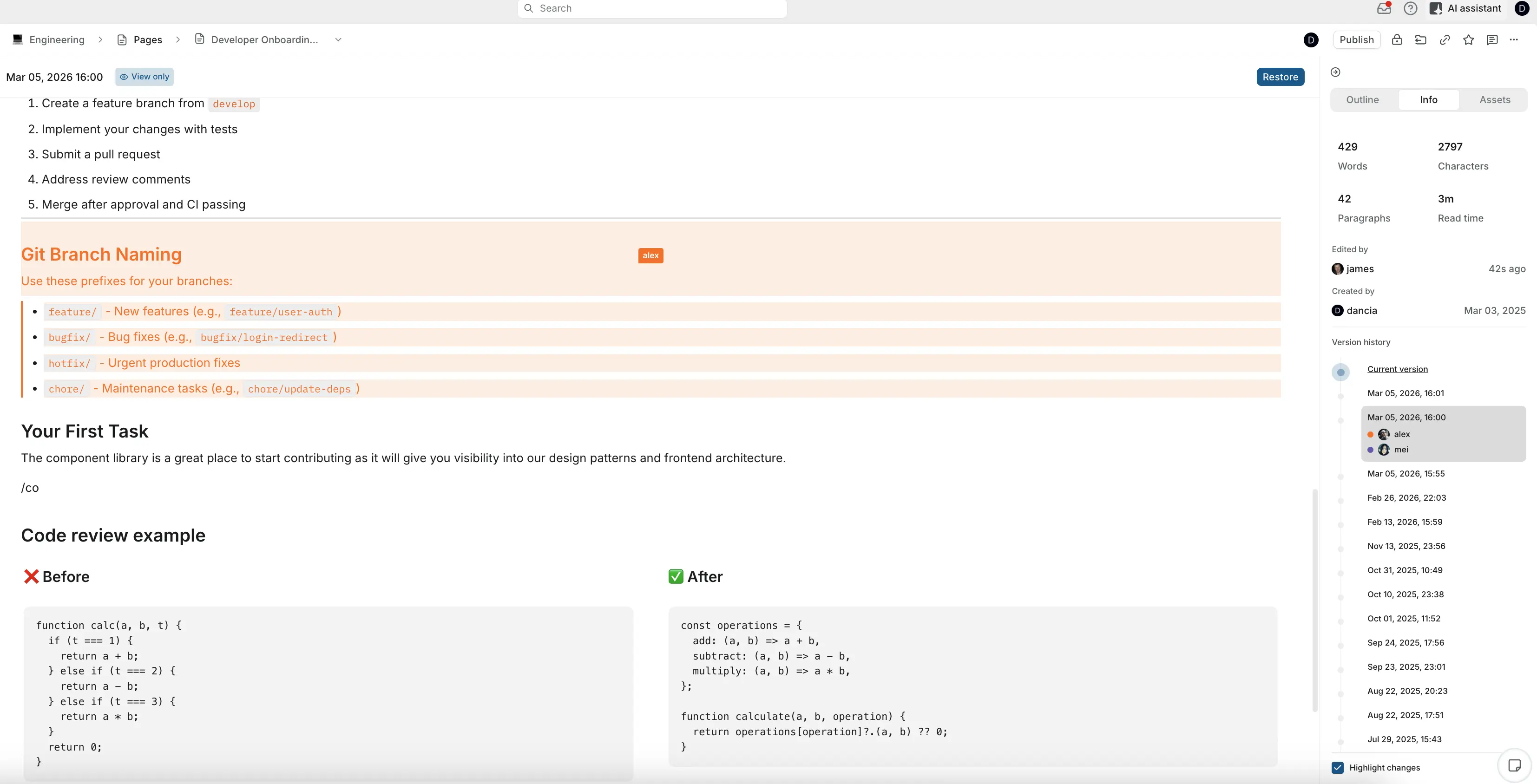
Open the page's ••• menu and choose Version history. The history opens in the side panel, with versions grouped by day. Each version shows when it was saved and who edited it. Current version is at the top.
View an earlier version
Click a version to see the page as it was then. The page switches to View only.
Highlight changes is on by default and marks what was added or changed in that version. Turn it off to read the version without highlights.
Compare two versions
- While viewing a version, click Compare versions at the top of the page. The version you're viewing is already selected.
- In the panel, which now says Select any 2 versions to compare, tick the second version.
- Click View comparison.
The page shows the differences between the two versions. Click Back to version history when you're done.
Restore a version
- Open the version you want.
- Check that it's the right one.
- Click Restore this version.
The restored content becomes the page's current content, and the restore shows up as a new version, so you can undo it the same way.
To restore, you need to be able to edit the page, and the page can't be locked or archived.
WARNING
Restoring a version also restores the page's nested pages to how they were at that point. Nested pages that were deleted since then come back. Nested pages created after that version are deleted. Check the page's nested pages before you restore an older version.