

Customize navigation
Personalize your sidebar by choosing which items stay visible and how your project navigation is displayed. These settings are personal to you and won't affect anyone else in your workspace.
Customize sidebar items
Control which sections appear in your sidebar to streamline your navigation and focus on what matters most to you.
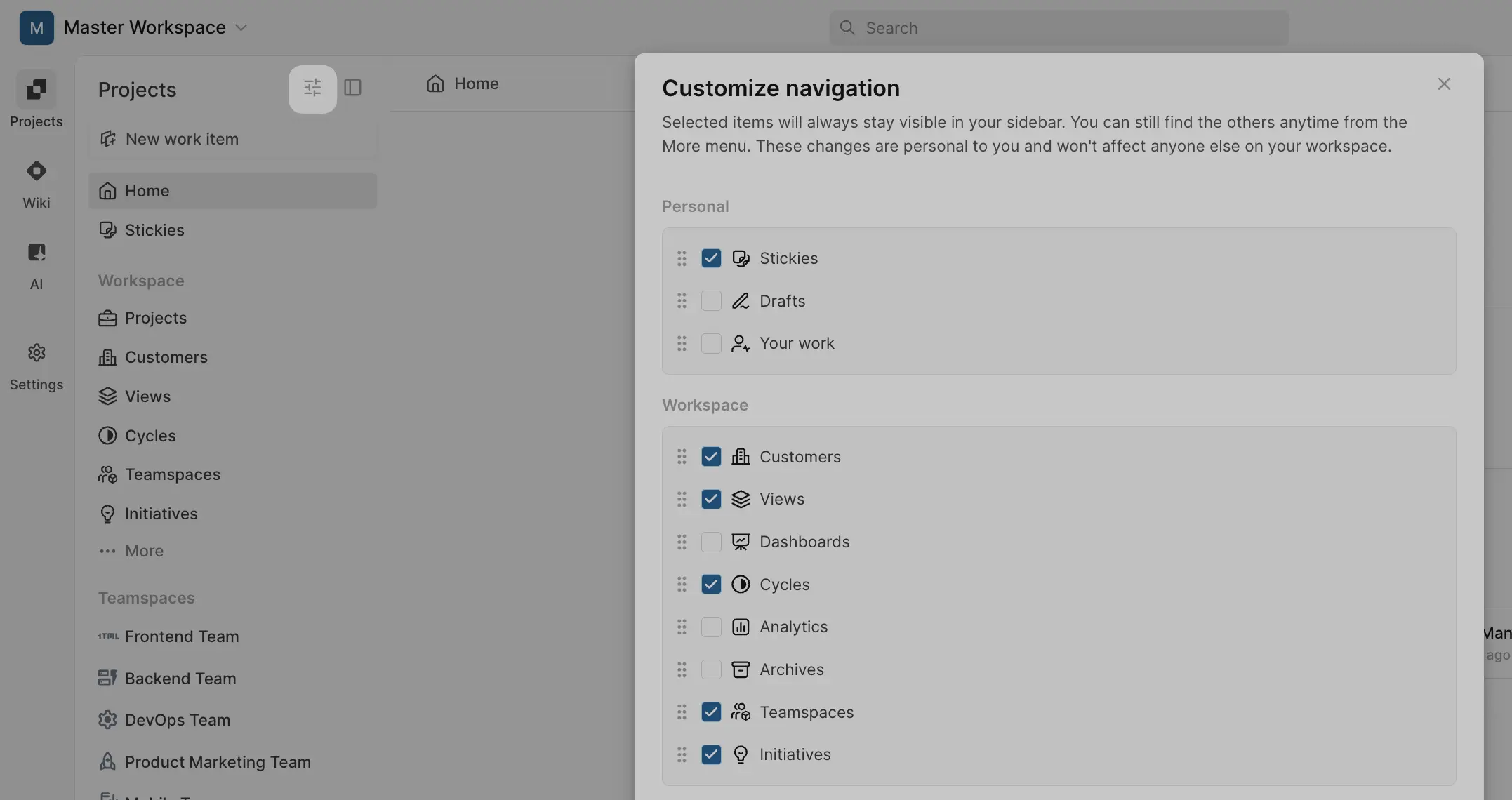
To customize sidebar visibility:
- Click the Filters icon in your sidebar.
- Check the items you want to keep visible in your sidebar.
- Uncheck items you'd prefer to access only from the More menu.
- Drag items to reorder them.
Selected items will always appear in your sidebar. Unchecked items can still be accessed from the More menu anytime.
Project navigation style
Choose how feature tabs appear within your projects:
Accordion navigation control
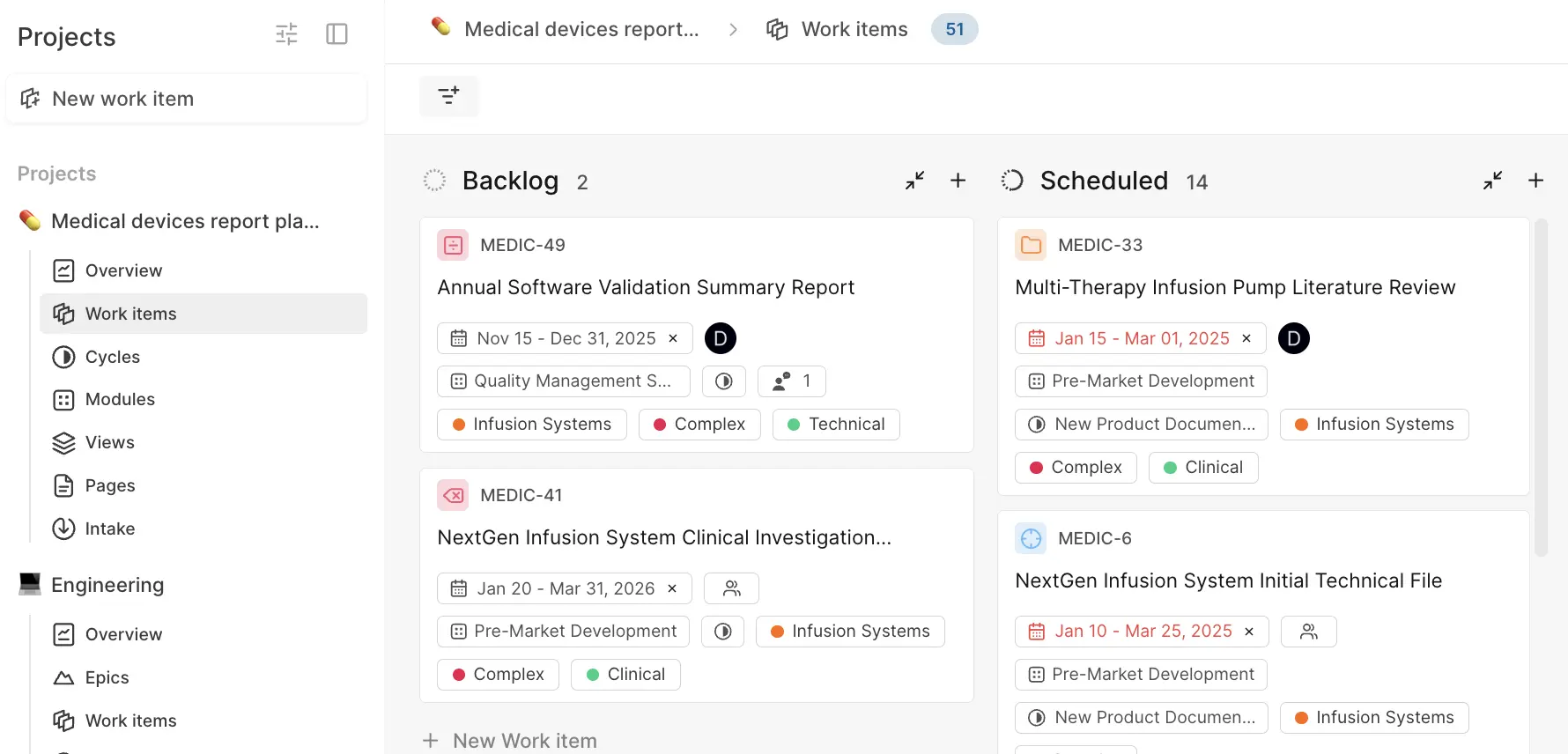
Feature tabs appear as nested items under each project in the sidebar and act as an accordion. When you expand one project, others automatically collapse. This works well when you focus on one project at a time and want a compact sidebar.
Horizontal navigation bar
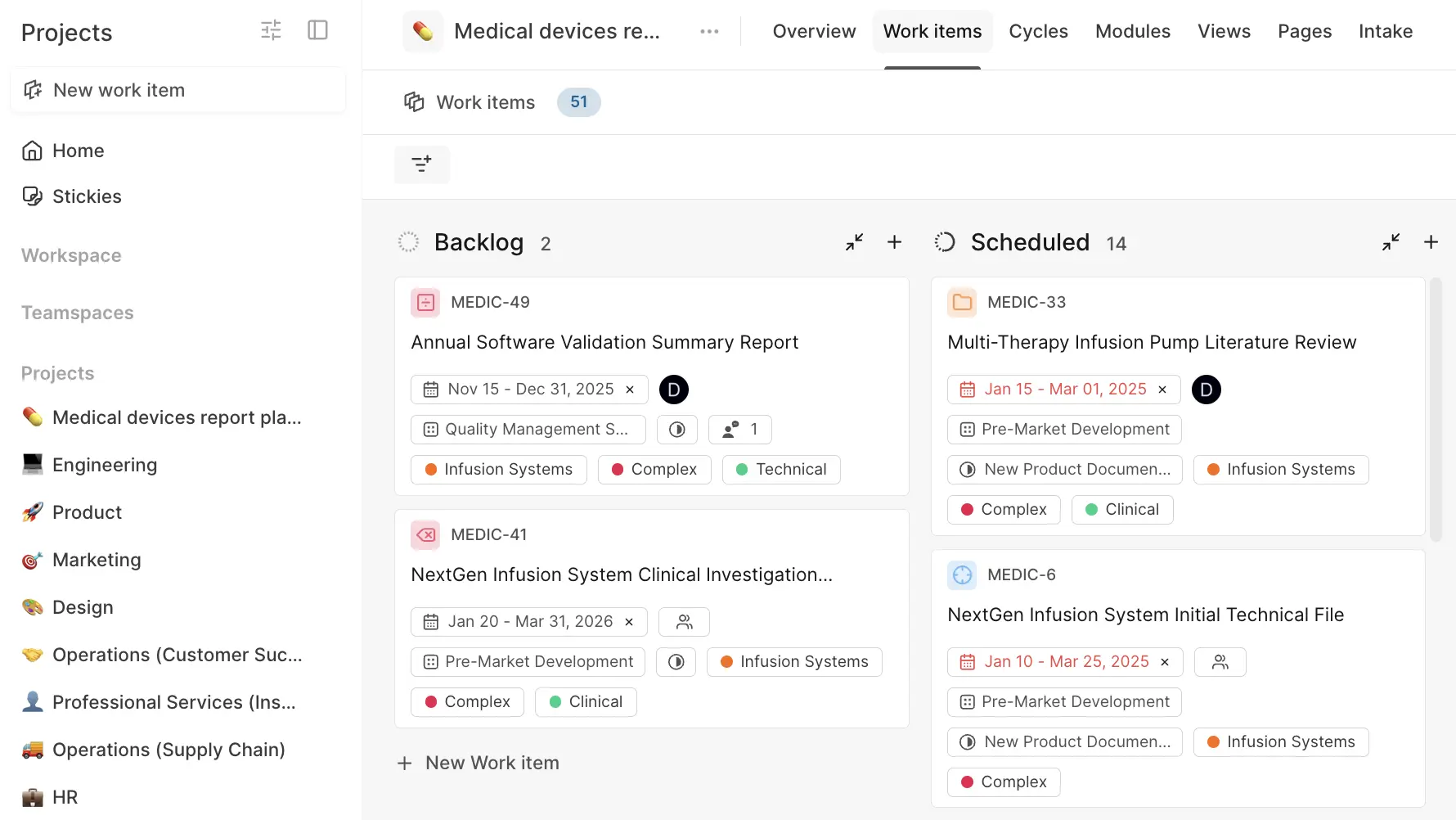
Feature tabs appear as horizontal tabs inside the project view at the top of the page. This works well when you switch between different sections of the same project frequently and want quick access to all tabs.
To change your project navigation:
- Click the Filters icon in your sidebar.
- Scroll to the Projects section.
- Choose either Accordion navigation control or Horizontal navigation bar.
Limit sidebar projects
If you're a member of many projects, you can limit how many appear directly in your sidebar to keep it manageable.
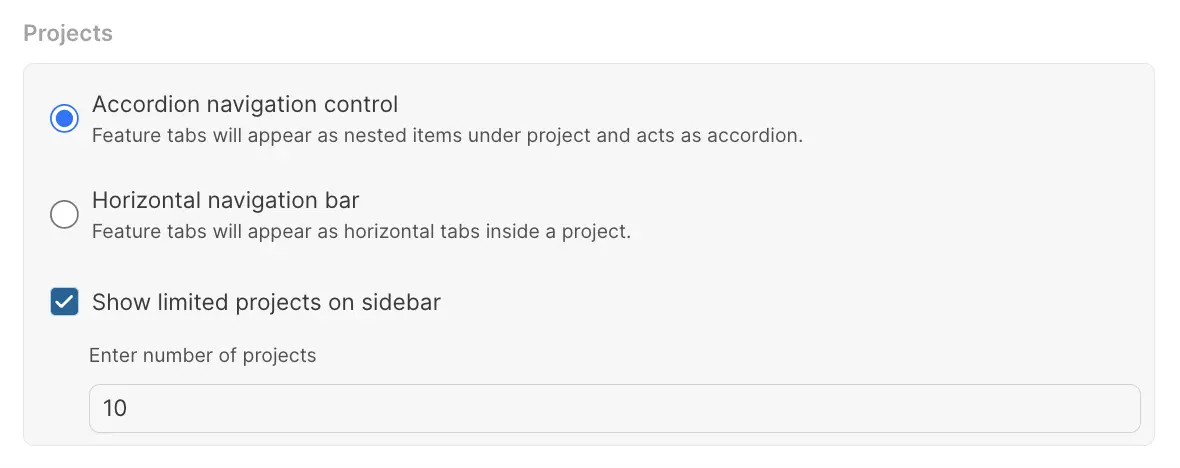
- In the Customize navigation settings, turn on Show limited projects on sidebar.
- Enter the number of projects to display (e.g., 5).
- Your most recently accessed projects will appear in the sidebar.
- Access other projects through the ... More menu.
This helps keep your sidebar focused on active projects while maintaining access to everything else.